ES File Explorer: Your Ultimate Android File Management Solution
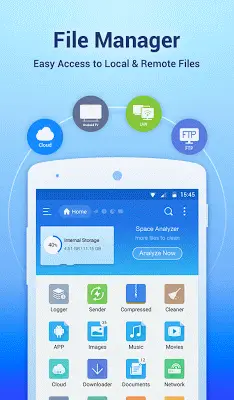
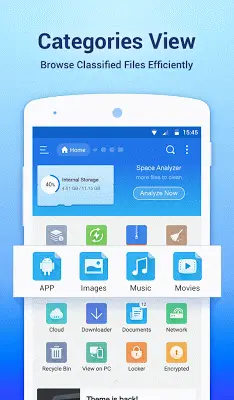
ES File Explorer File Manager stands out as a top-tier Android file management app, offering a blend of user-friendliness and powerful features. Its desktop-like interface simplifies file, app, and media organization, providing a seamless experience for users of all levels.
Key Features and Benefits:
-
Intuitive Interface: Enjoy easy navigation and familiar operations like multiple selection and cut/copy/paste. The app's design prioritizes efficiency and ease of use.
-
App Management: The integrated application manager allows for easy categorization, uninstallation, backup, and shortcut creation for your apps, centralizing app control.
-
Global Reach: Support for over 20 languages ensures accessibility for a worldwide user base.
-
Personalization: Customize your experience with multiple themes and three sets of commercial icons for over 100 file types.
-
Multimedia Handling: Built-in music player, image viewer, and text editor streamline media management, reducing the need for additional apps.
-
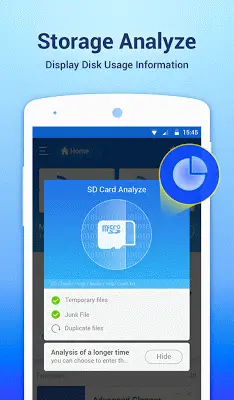
Smart Storage: Analyze local storage to identify and remove unnecessary files, optimizing storage space and device performance.
-
PC Connectivity: Seamlessly manage files on your Android device from your PC using FTP.
-
Advanced User Options: A root explorer provides advanced users with access to system files and functions not typically available.
-
Efficient Search & Sharing: Quickly locate files using the comprehensive search function, and easily share files directly within the app.
Beyond ES File Explorer:
While ES File Explorer excels in its comprehensive feature set, other excellent file managers cater to specific needs. Solid Explorer offers a sleek dual-pane interface, Astro File Manager integrates with Astro Cloud Storage, FX File Explorer boasts a Material Design interface and web access, Total Commander provides extensive plugin support, and Amaze File Manager offers an open-source, highly customizable option. The best choice depends on individual preferences and priorities.
Conclusion:
ES File Explorer File Manager remains a leading choice for Android users seeking a robust, versatile, and user-friendly file management experience. Its comprehensive features, regular updates, and intuitive design make it a powerful tool for both casual and advanced users.