The world of Pokémon Sleep is about to get more enchanting, or perhaps a tad more eerie. The legendary Pokémon Cresselia, renowned for weaving pleasant dreams, is set to make its debut alongside its shadowy counterpart, Darkrai. The Cresselia vs Darkrai event is poised to be a thrilling two-week event, blending sweet dreams with haunting nightmares.
Mark your calendars for March 31st to April 14th, as this is when you'll have an increased chance of encountering Cresselia during your sleep research sessions. Optimal locations for these encounters include Greengrass Isle, Snowdrop Tundra, and Lapis Lakeside.
If you're fortunate enough to befriend Cresselia, its Lunar Blessing skill will rejuvenate your team's energy and secure additional Berries. The effect of Lunar Blessing amplifies with each Psychic-type buddy on your team. Remember, you can only have one Special Pokémon like Cresselia at a time, so choose your team composition wisely.
This event is a global collaboration among sleep researchers, all striving to ward off the nightmares induced by Darkrai. During the event period from March 31st to April 14th, Cresselia's presence will be at its zenith, countering the dark influence of its counterpart and aiding in the rescue of Pokémon plagued by bad dreams.
By enhancing your Drowsy Power with Cresselia on your team, you not only combat the nightmares but also contribute to the worldwide effort. Additionally, you can gather Cresselia Down, which can be exchanged for exclusive items such as Cresselia Incense and Biscuits, along with other event-specific rewards.
There's also a tantalizing possibility: if the collective Event Drowsy Power reaches a certain threshold, players might have the chance to befriend Darkrai itself. Imagine transforming the harbinger of nightmares into a valuable ally for your team.
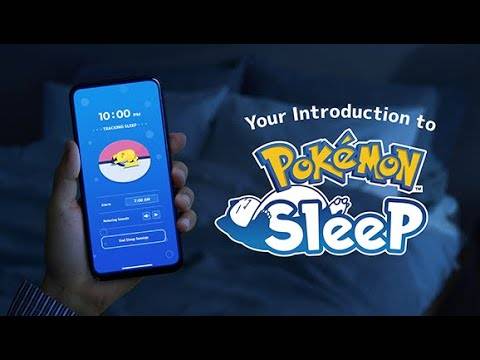
Join the event by downloading Pokémon Sleep on your preferred platform. For more details, visit the official website.
Before you dive into the event, don't miss out on our list of the best Pokémon games to play on Android!