Dive into the enchanting world of *Maple Tale*, a mobile RPG that's capturing hearts and screens across the globe. One of the game's standout features is the use of redeem codes, offering players a chance to snag valuable in-game items like Crystals, Shards, and Material Chests, significantly boosting your adventure. Here's your ultimate guide to redeeming these codes and maximizing your *Maple Tale* experience.
Maple Tale Active Redeem Codes
MX666MX888MX999maple897luck123Myrtle2024Myrtle6666daragrj666SGM2024SSVIP2024LUCKY2024TGPM2024START457VIP2024How to Redeem Codes in Maple Tale?
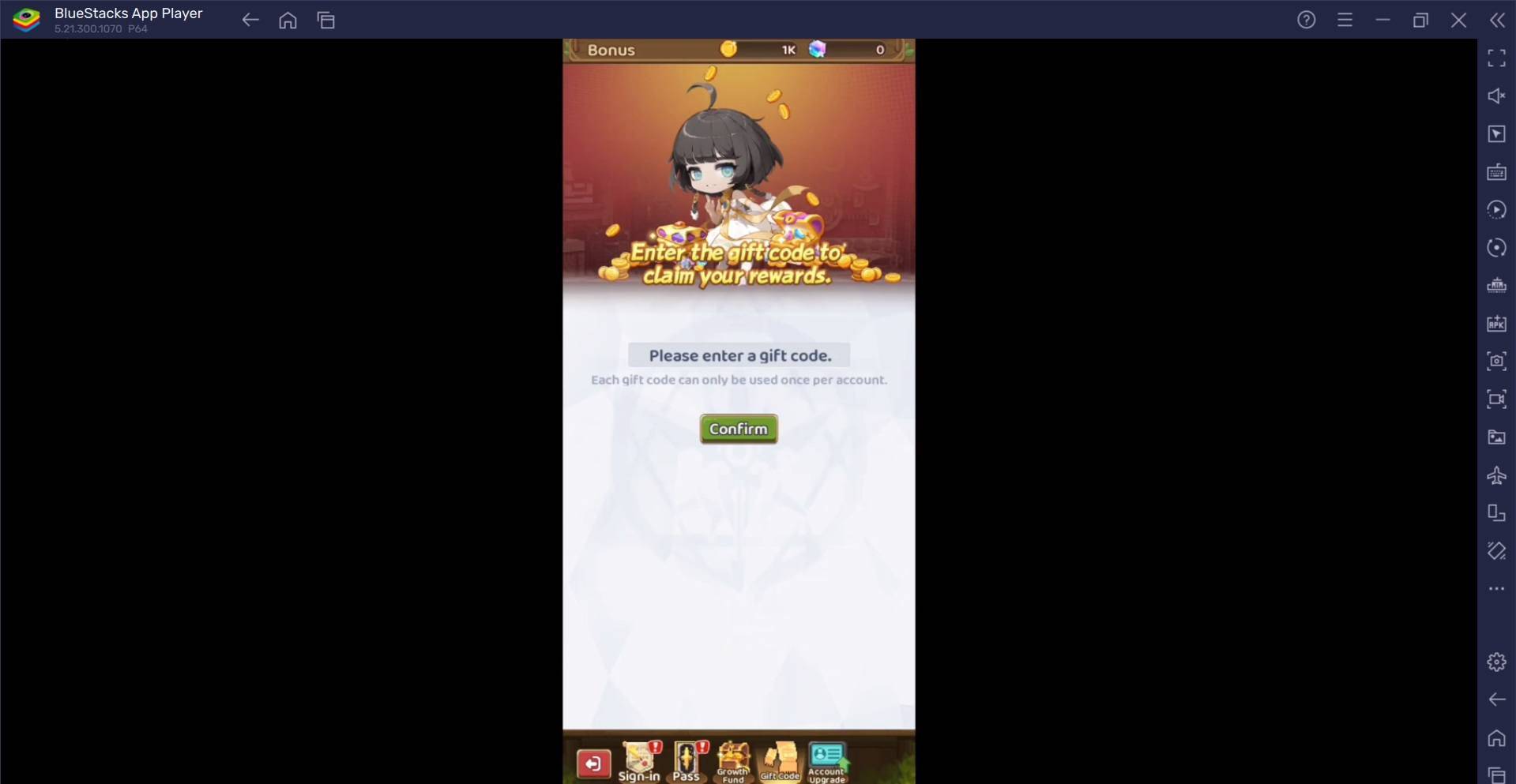
Redeeming codes in *Maple Tale* is a breeze. Just follow these steps:- Launch the game on your device.
- Find and tap the Bonus button at the top-left of your screen.
- Hit the Gift Code button at the bottom.
- Carefully enter a valid code into the provided text box.
- Tap Confirm to claim your rewards!
Redeem Codes Not Working? Here’s What You Can Do
Encountering issues with your redeem codes? No worries, try these troubleshooting steps:- Double-Check the Code: Ensure there are no typos or extra spaces. It's best to copy-paste the code directly from a trusted source to prevent errors.
- Check Expiry: Codes come with an expiration date. Make sure the one you're using hasn't expired.
- Restart the Game: A quick restart can sometimes fix temporary glitches.
- Update the Game: Keep Maple Tale updated to the latest version to avoid bugs and enjoy improved performance.
- Contact Support: If all else fails, reach out to Maple Tale's customer support. They can provide targeted assistance and help you unlock your rewards.
To take your *Maple Tale* experience to the next level, consider playing on a PC or laptop with BlueStacks. This setup offers smoother gameplay and a larger screen, making your journey through the game even more enjoyable.