In *The Presentation Experience* on Roblox, players are immersed in a unique school setting where they can enjoy unprecedented freedom. Unlike traditional schools, here you can engage in any activity you desire without facing repercussions for rule-breaking. One of the fun aspects is shouting out popular meme phrases, which you can do by spending Points. These Points are easily obtained through the codes provided in this article.
Updated January 5, 2025, by Artur Novichenko: Codes are a fantastic way to enhance your gameplay, and we're committed to keeping you updated. Make sure to check back frequently for new codes and updates.
All The Presentation Experience Codes
--------------------------------------
Working The Presentation Experience Codes
- coolcodethatmaxwellfound - Enter this code to get 100 Points and 6 Gems.
- newmanfacepooper - Enter this code to get 50 Points and 4 Gems.
- Hugo - Enter this code to get Points.
- COFFEE - Enter this code to get 60 Points.
- MAXWELLGOOD - Enter this code to get 20 Gems.
- HALLWAY - Enter this code to get 10 Gems.
- UWU - Enter this code to get 20 Gems.
- THEREARENOOTHERTEACHERSINTHESCHOOLBECAUSENOBODYWANTSTOSEETHEBADTEACHER - Enter this code to get 10 Gems.
- MINIMALGAMESPRO - Enter this code to get 25 Points.
- HELICOPTER - Enter this code to get 50 Points.
- MEGABOOST - Enter this code to get 5x Points Boost for 1 minute.
- 5GEMS - Enter this code to get 5 Gems.
- CODE- Enter this code to get 15 Points.
- RAT - Enter this code to get 25 Points.
- BOOKWORM - Enter this code to get 80 Points.
- 10POINTS - Enter this code to get 10 Points.
- TEACHERMADCUZBAD - Enter this code to get 150 Points.
- AZUREOPTIX - Enter this code to get 25 Points.
- TOILET - Enter this code to get 50 Points.
- POOP - Enter this code to get 100 Points.
- EMOTIONALDAMAGE - Enter this code to get 80 Points.
All Expired The Presentation Experience Codes
- MANFACEPOOPER
- FARTYREWARD
- FUNNYBACKROOMS
- dodgingcode
- 400KLIKES
- scaryhalloween2023
- spookpoints
- OMG350KLIKES
- UGC
- ITSABOUTDRIVEITSABOUTPOWER
- nootnoot
- 200MVISITS!
- summerboost
- beatbox
- bababooeypoints
- unexpected
- CHRISTMASGIFT
- sus
- MILLIONMEMBERS!
- 100MVISITS
- 175klikes
- 700kmembers
- 150KLIKES
- pencil
- 600kmembers
- 180klikes
- Easter
How to Redeem Codes in The Presentation Experience
---------------------------------------------------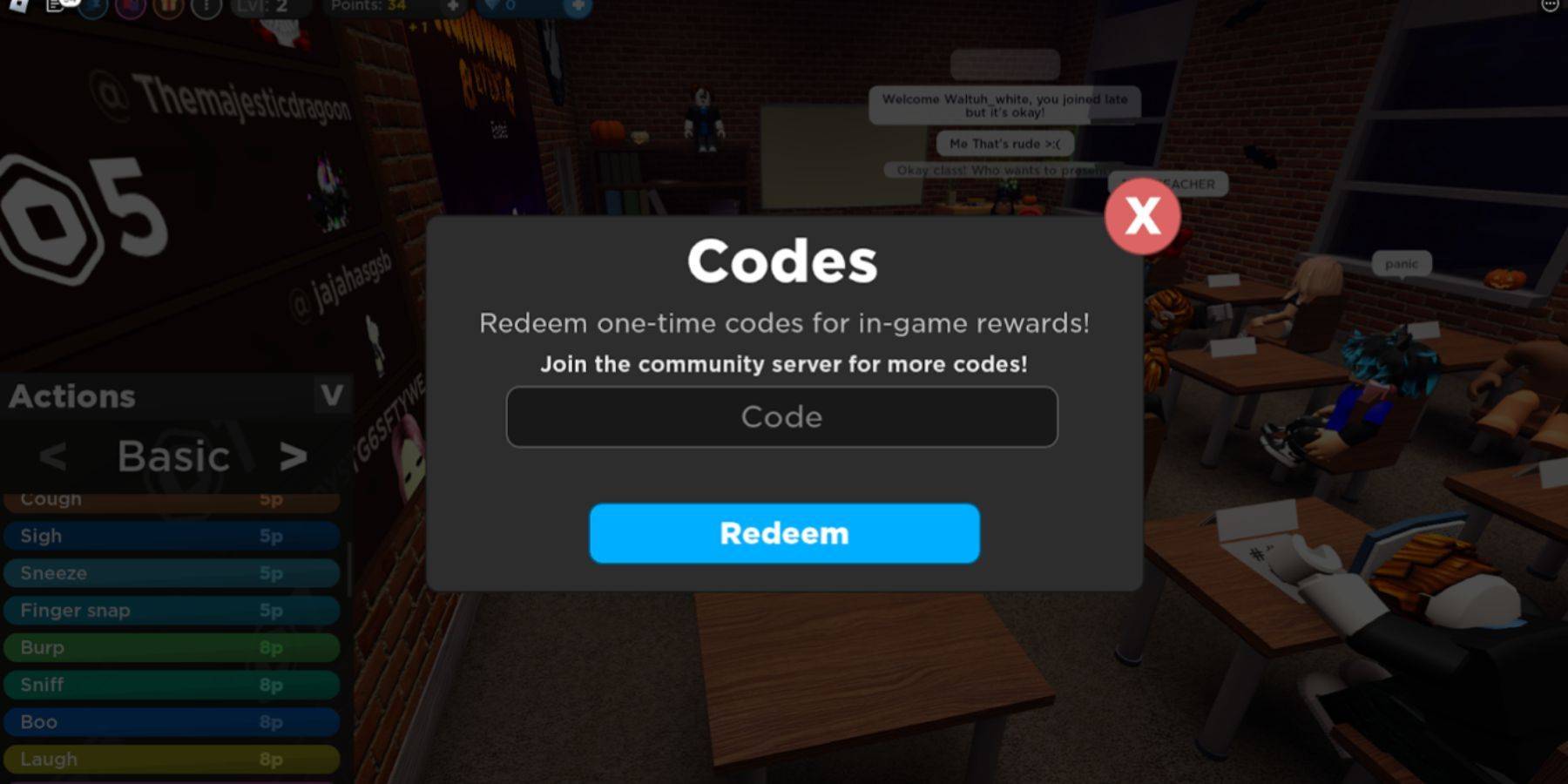 Navigating the small buttons in The Presentation Experience interface can be tricky, especially when trying to find the code redemption option. Here's a step-by-step guide to help you redeem your codes effortlessly:
- Launch Roblox and start The Presentation Experience.
- Look in the upper-left corner for a series of small round buttons. Click the button with 3 dots, located to the left of your level indicator.
- A menu will appear. Click on the blue Codes button, which features a bird symbol reminiscent of Twitter.
- In the Code field, enter or paste your desired code, then click the Redeem button to claim your rewards.