Application Description
CarLauncherPro: The Ultimate App for an Enhanced Driving Experience
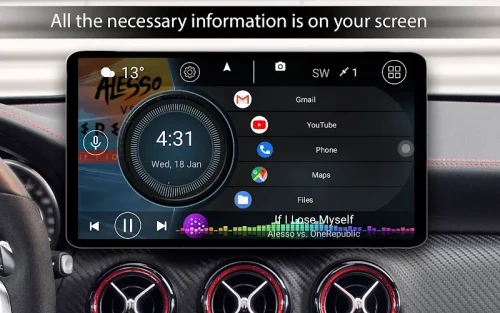
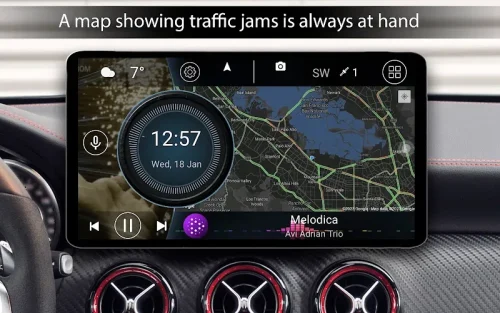
CarLauncherPro is a powerful app designed specifically for use in the car. It can be used on phones, tablets, and Android-based head units to provide a customized driving experience. With a focus on convenient app launching and onboard computer functions, CarLauncherPro combines utility and style.
Here are some of its standout features:
- Easy app access: Quickly access your favorite apps right from the homescreen. Add as many apps as you want for one-tap launching while driving. The pro version also allows you to organize apps into folders and easily switch between them.
- Smart speedometer: Displays your exact car speed using GPS data right on the mainscreen. It also shows the speed in the status bar for constant visibility, eliminating the need to glance down at the dashboard speedometer while driving.
- Complete onboard computer: Provides a slide-out menu with a robust onboard computer. It tracks current speed, distance traveled, average speed, total drive time, maximum speed, acceleration times, and best quarter-mile time/speed. You can reset the trip data at any time and choose the metrics to display.
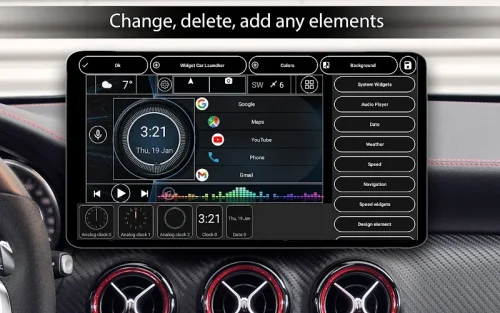
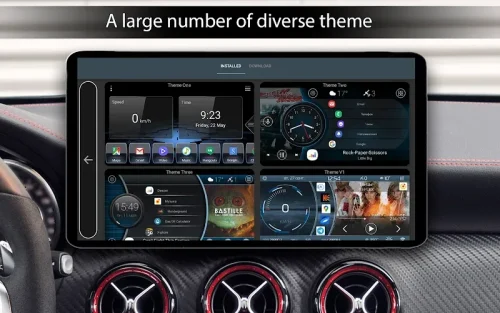
- Customization options: Tailor the app to your preferences with extensive customization options. Choose from default mainscreen themes or use third-party themes. Edit any element on the screen, select your own wallpaper image, modify the color scheme, enable autobrightness adjustment, display real-time weather and location data, and set a personalized screensaver for the clock widget.
- Specialized widgets: Along with supporting system widgets, the app offers specialized driving-focused widgets such as visualizations, analog gauges for speed and RPM, address display, drive time, max speed tracker, stops counter, and acceleration times. All widgets are fully customizable.
- Optimized for driving: The app's settings are optimized for safe driving use. Enable infinitescrolling, adjust the number of apps per screen, set side bending effects, customize app folder transition angles, add your own logo or brand image, modify screen brightness and gamma colors for ideal in-car visibility, and turn on start upon boot for headunit use.
Conclusion:
CarLauncherPro is the ultimate app for an enhanced driving experience. With its focus on quick app access, onboard computer capabilities, and deep customizations, it provides a convenient utility and stylish design for the central interface of your in-car display. Whether used on a phone, tablet, or headunit, CarLauncherPro can make your drive simpler, smarter, and more enjoyable.
Screenshot