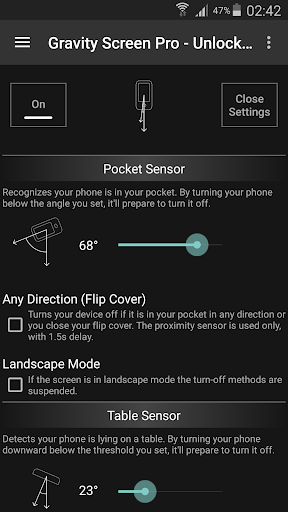
Tired of constantly having to manually turn your smartphone screen on and off? Say goodbye to that hassle with the Gravity Screen app! This innovative application automatically detects when you need to see your screen and activates it for you. No more buttons to click or unnecessary screen time when you're not using it. With Gravity Screen, simply pick up your device and watch the magic happen as the screen lights up instantly. You can even customize the sensor sensitivity to match your preferences. This app also offers features like turning off the screen in your pocket or on a table, keeping it on while in use, and even smart locking. Get rid of screen frustration and download the Gravity Screen app now!
Features of Gravity Screen - On/Off:
⭐️ Automatic Screen Control: The app automatically turns your device screen on and off at the right time, eliminating the need for manual control.
⭐️ Easy Time Checking: Just lift your phone off the table, and the screen will instantly turn on, allowing you to quickly check the time without any button clicks.
⭐️ Convenience and Efficiency: With Gravity Screen, you won't have to constantly turn your smartphone screen on and off. It intelligently keeps the screen on when you're using the device and automatically disables it when you put it down.
⭐️ Customizable Settings: The app offers various useful settings, including the ability to adjust sensor sensitivity. You can choose the orientation in which you want to tilt the device to activate the screen.
⭐️ Smart Locking Support: Gravity Screen supports smart locking, ensuring that your device stays locked and secure when not in use.
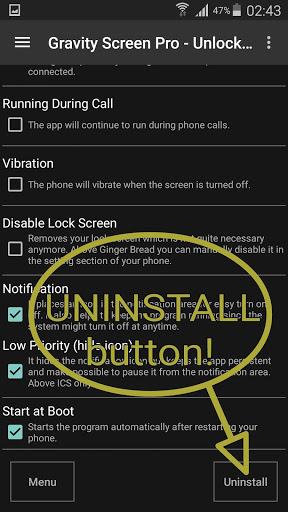
⭐️ Phone Call Compatibility: You can enable or disable the app during phone calls, allowing you to customize its behavior based on your preferences.
In conclusion, the Gravity Screen app is an essential tool that simplifies your smartphone usage by automatically controlling your device's screen. With its intuitive features and customizable settings, it provides convenience and efficiency for users. Download the app now and say goodbye to the hassle of manually managing your screen!