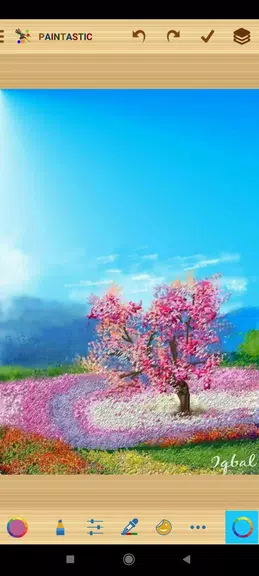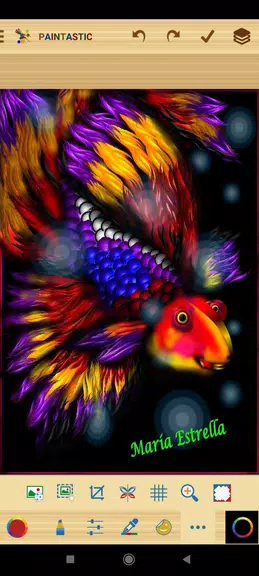
Paintastic: Draw, Color, Paint is a highly versatile and intuitive Android painting app designed for artists of all skill levels. Whether you're an experienced designer or just beginning your creative journey, Paintastic offers a comprehensive suite of tools to help you draw, color, and paint with ease. With advanced features like layer support, customizable brushes, pixel and path pen tools, predefined shapes, multicolor gradients, and the ability to import images and add text, the app empowers you to bring your artistic visions to life. From crafting intricate illustrations to designing logos, greeting cards, and even WhatsApp stickers, the creative possibilities are limitless.
Features of Paintastic: Draw, Color, Paint:
Layers:
Work with up to 5 separate layers over a background, giving you full control over different elements of your artwork.
Various Paintbrushes:
Choose from a wide selection of brush types, including blur, emboss, neon, and outline brushes. Customize each brush with adjustable size, opacity, scatter, and jitter settings.
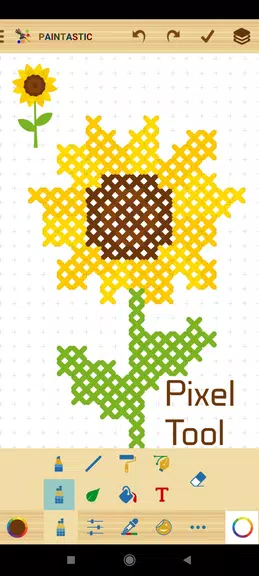
Pixel Pen Tool:
Perfect for creating detailed pixel art using a variety of brush tips tailored for precision and clarity.
Path Pen Tool:
Draw scalable vector paths, save custom shapes, and use paths for making accurate selections—ideal for professional-grade designs.
Predefined Shapes:
Access hundreds of ready-made shapes ranging from basic geometric figures to floral motifs, smileys, frames, and more, allowing for quick and creative compositions.
Multicolor and Gradient Options:
Enjoy full color freedom with an intuitive color picker and unique multicolor functionality for both brushes and backgrounds. Apply smooth gradients and vibrant color transitions effortlessly.
Conclusion:
Paintastic: Draw, Color, Paint is a feature-rich application that encourages creativity for users of all ages. Its powerful tools—including layering capabilities, diverse brush options, ready-to-use shapes, and dynamic color controls—make it ideal for producing everything from vivid illustrations to personalized greeting cards and digital collages. [ttpp]Download Paintastic today and unlock your creative potential—start crafting stunning masterpieces anytime, anywhere. [yyxx]