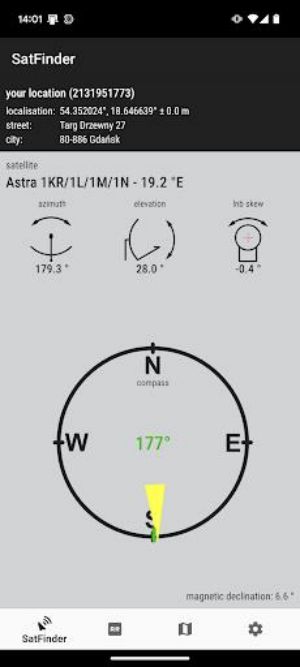
Discover SatFinder, your indispensable guide for seamless satellite dish installation. This app simplifies the process of determining the precise azimuth, elevation, and LNB tilt needed for your location and chosen satellite, thanks to its extensive satellite database. Whether you're a seasoned professional or a DIY enthusiast, SatFinder provides the accuracy and guidance you need.
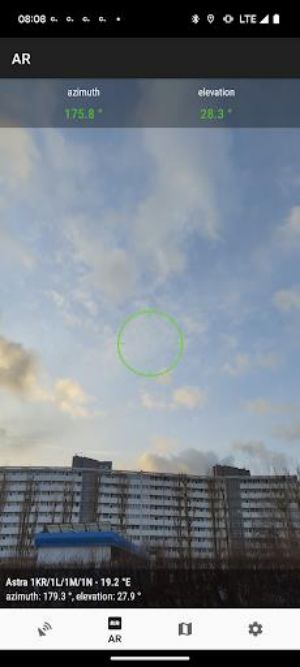
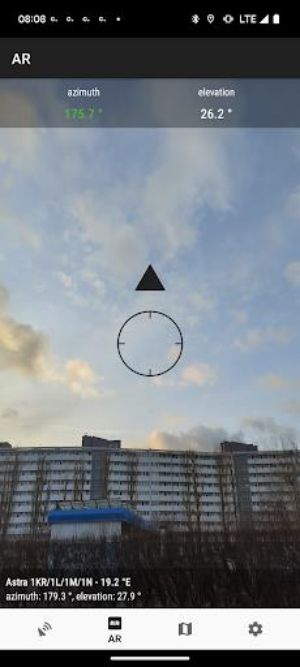
Its unique integration with Google Maps offers both numerical data and a clear visual representation of the satellite's position, making alignment intuitive. Devices equipped with a magnetometer can leverage the built-in compass for accurate azimuth readings. For an even more streamlined experience, SatFinder includes an augmented reality feature, overlaying the satellite's location directly onto your camera's view. Remember to calibrate your compass for optimal results. Download SatFinder today and eliminate the guesswork from satellite dish setup.
Key Features of SatFinder:
-
Precise Satellite Alignment: Obtain accurate azimuth, elevation, and LNB tilt values based on your GPS coordinates and selected satellite.
-
Visual Guidance: View calculated results as both numerical data and a graphical representation on Google Maps for effortless satellite positioning understanding.
-
Integrated Compass: Utilize your device's compass (magnetometer) for precise azimuth direction.
-
Augmented Reality Overlay: Experience a more intuitive alignment process with the augmented reality feature, projecting the satellite's position onto your camera view.
-
User-Friendly Design: Enjoy a simple and intuitive interface. Just enable GPS and internet access, and follow the easy steps to locate your position and select your satellite.
-
Real-time Compass Calibration: Maintain accuracy with the app's real-time compass calibration feature, ensuring correct azimuth readings.
In Summary:
SatFinder is a must-have application for anyone installing a satellite dish. Its combination of precise calculations, visual aids, compass integration, augmented reality, and user-friendly design streamlines the entire satellite alignment process. Download now for a hassle-free satellite setup experience.