Zipato App: Your All-in-One Smart Home Solution
The Zipato App empowers both professionals and DIY enthusiasts to build and manage sophisticated smart home systems with ease and intuitive control. This comprehensive platform offers a wide array of features:
Key Features:
-
Device Management: Create and manage multiple systems, integrate systems as subsystems, pair and configure devices across various standards (Z-wave, KNX, ModBus, EnOcean, ULE, Zigbee, Philips Hue, Sonos, and more). Enjoy seamless monitoring of all your connected devices.
-
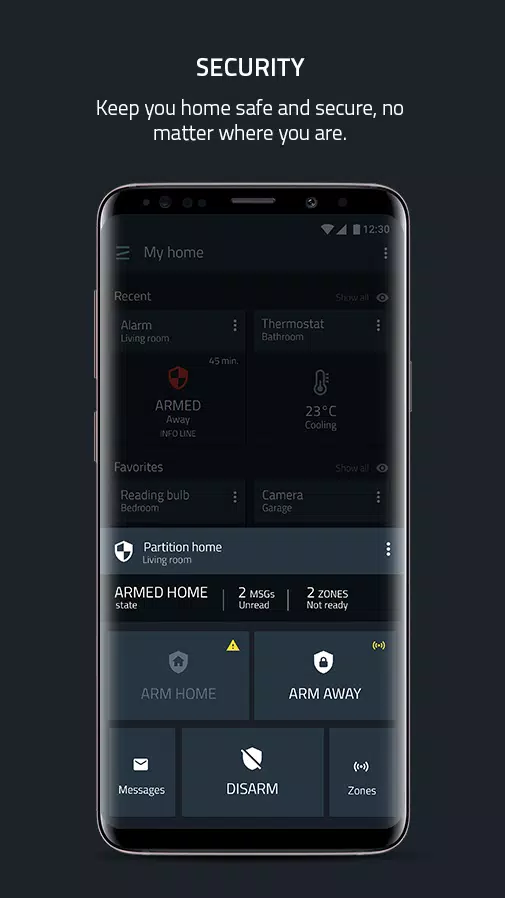
Professional Security System: Implement multi-partition security with cross-zoning and user-defined roles. Receive immediate alerts for intrusions, smoke, water leaks, and carbon monoxide detection.
-
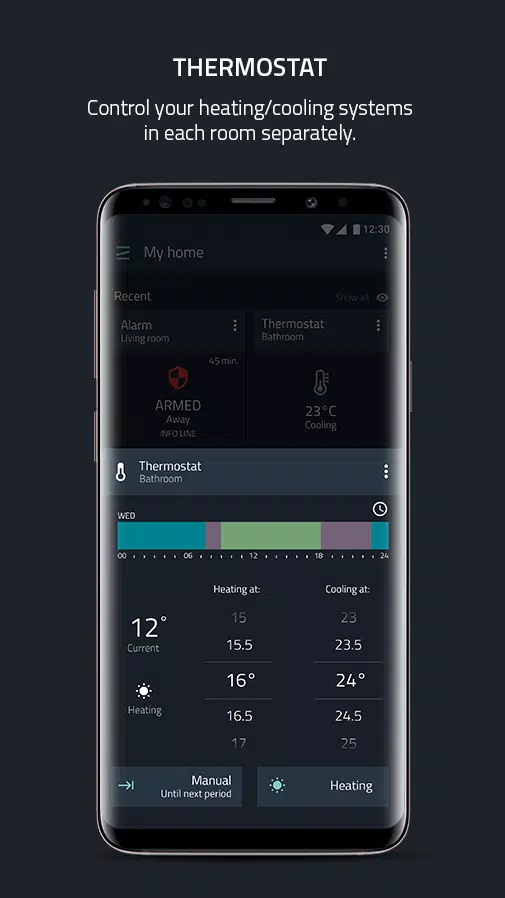
Smart Thermostat Control: Design custom thermostats using your system devices, manage multiple zones and schedules, and integrate with popular thermostats that support compatible standards.
-
Video Intercom: Secure your home with a video intercom featuring voice and video capabilities. Integrate with Zipato SIP servers and other popular SIP platforms for enhanced functionality.
-
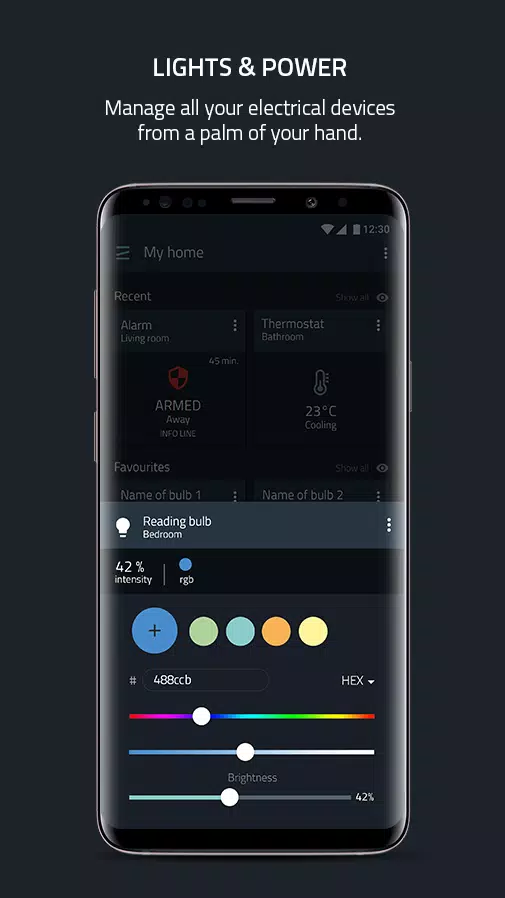
Lighting & Power Management: Control lighting (dimming, switching, RGBW), monitor energy consumption, manage motorized curtains, roller shutters, and valves, and control IR devices like A/C units and AV equipment. Includes door lock control with access code management.
-
Video Monitoring: Enjoy live views from IP cameras, event-based recording and messaging, multi-camera monitoring, and convenient timeline/gallery views for recorded video and snapshots.
-
Automation: Create simple rules using the mobile rule creator, leverage geofencing for location-based rules, utilize a customizable scheduler, group devices into scenarios, and integrate with rules created using the online Rule Creator.
-
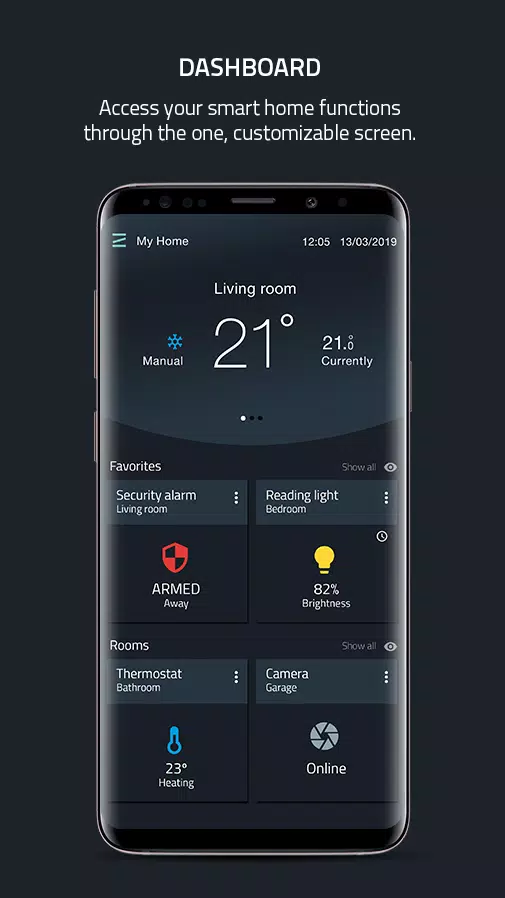
Customizable Dashboard: Create personalized dashboards with device widgets organized by type, room, scene, or custom categories. Enjoy scrollable or listed container views, informative home page widgets, and intuitive controls for all system devices. Supports both portrait and landscape modes on tablets.
-
Knowledge Base: Access the latest platform news, announcements, and informative articles with demo videos covering specific app functions.
Important Notes:
- Requires at least one Zipato controller (Zipabox2 or Zipatile2 recommended).
- Existing Zipato users: This app uses the Zipato v3 backend. You will need to unregister your controller from Zipato v2 and register it within a new system in the Zipato v3 environment using this app.
Version 3.5.0 (October 25, 2024):
This update includes bug fixes (Z-wave hard reset message handling, energy-saving cool setpoint, and others), performance improvements (camera thumbnails, gallery, and clips views), and enhanced stability. New features include Zigbee hard reset and camera snapshots view. A new banner alerts users to controllers in maintenance mode.