Experience convenient and easy mobile learning with the 단기PLAYER app! Now you can access a variety of courses optimized for mobile devices through this app. With features like a personalized player, you can create the perfect learning environment for yourself. Whether you prefer to download or stream lectures, this app allows you to choose your preferred playback method. You can also download lectures and access them offline, making it possible to study anywhere, anytime. The app offers a range of functionalities such as bookmarking, replaying specific segments, adjusting playback speed, and more, providing an optimized learning experience. Additionally, if you have any questions or concerns, you can easily reach out to the customer support team. Trust in the power of education to transform lives, as 단기PLAYER believes in creating opportunities that can change someone's life for the better.
Features of 단기PLAYER:
- Convenient and easy learning: With this app, you can now easily and conveniently access the lectures provided by ST Unitas on your mobile device. Experience a learning environment optimized for mobile through various player features.
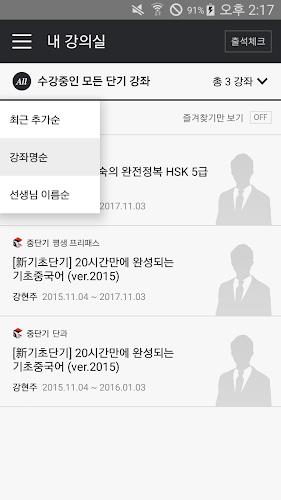
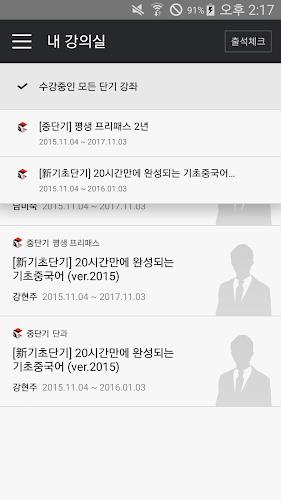
- My Classroom: In your personal classroom, you can view all the courses offered by the short-term schools that you have purchased and enrolled in. You can also achieve attendance mission goals through the attendance check feature.
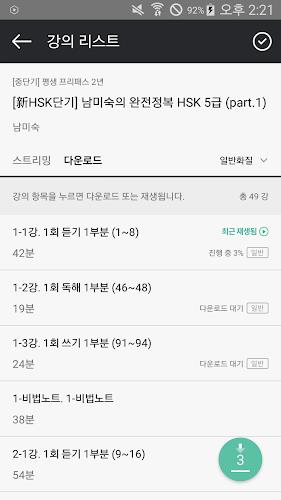
- Lecture List: You have the option to choose between downloading or streaming lectures. You can also download multiple lectures at once and continue streaming lectures even while they are still downloading.
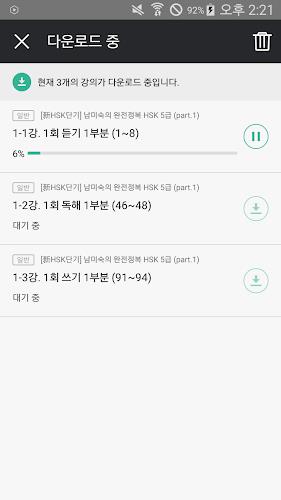
- Download Hub: All the downloaded lectures can be accessed and played in the download hub. You can access and study the stored lectures from anywhere, regardless of network environment. You can also easily and quickly check the progress of ongoing downloads from any screen.
- Playback Screen: The playback screen provides a rich set of features such as bookmarks, segment looping, and playback speed settings to optimize your learning experience. You can adjust playback speed from 0.5x to 2x and play videos at lower quality to avoid buffering issues. Other features include segment looping, bookmarking, screen rotation, 10-second skip forward/rewind, brightness adjustment, and volume control.
- Customer Support: If you have any issues or inquiries while using the player, you can directly contact the customer support center of each short-term school for assistance.
Conclusion:
With 단기PLAYER, you can easily and conveniently access lectures on your mobile device. It provides a user-friendly and optimized learning environment with features like downloading or streaming lectures, easy access to downloaded lectures, and a playback screen with various study-enhancing functions. The app also offers customer support, ensuring a seamless learning experience. Click now to download and enhance your learning journey.